
Blog
How Much Does Snagging Software Cost? A Contractor’s Guide to Pricing
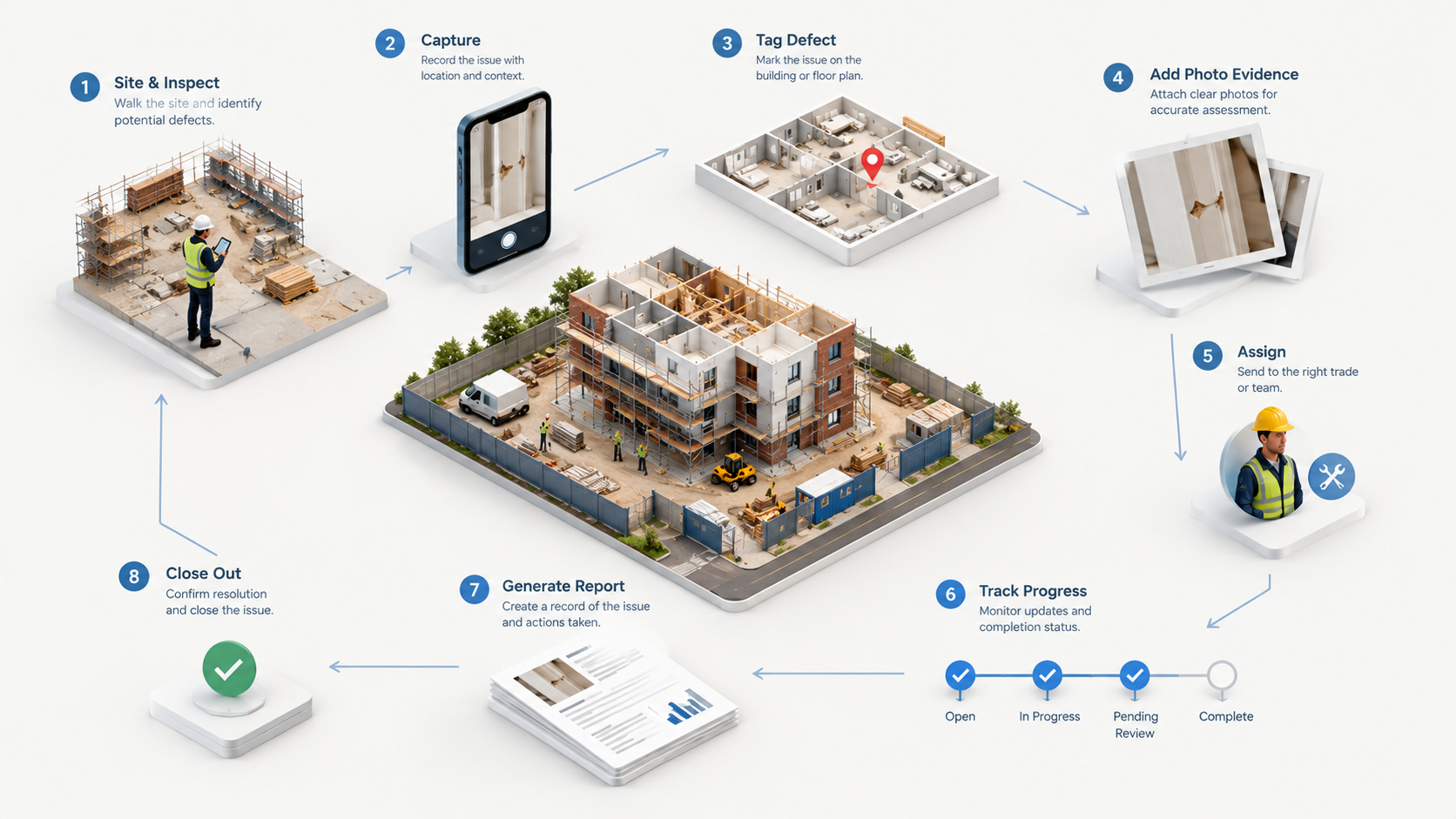
The cost of snagging software can range from nothing to a recurring monthly subscription, depending on what a contractor actually needs.
For a small builder, paying for software may seem unnecessary when a spreadsheet, paper snag list or messaging app appears to do the same job. For a contractor managing repeated inspections, multiple projects and a growing list of defects, the more useful question is different:
What does the software need to do, and what will it cost to run that workflow properly?
This guide explains the main snagging software pricing models, what affects cost, what contractors should check before subscribing and where an affordable platform such as Site Audit & Plan fits.
Pricing note: Site Audit & Plan’s pricing currently includes a free mobile download, a free to use option, a Basic Account at £0/month and a Pro Account at £9.99/month. Pricing and included features can change, so check the official pricing page before purchase.
The short answer
There is no single price for snagging software.
- Free: £0 subscription, with limits to check around storage, reporting, collaboration or scale.
- Freemium: Free core use with paid upgrades for additional functionality.
- Monthly subscription: Recurring cost that may depend on users, projects or features.
- Broader construction platform: A wider feature set and potentially higher cost, which may be unnecessary for a focused snagging workflow.
For many contractors, the key comparison is not simply free versus paid. It is the cost of a connected digital workflow versus the administration involved in paper lists, spreadsheets, messages and manual reports.
What determines snagging software cost?
1. Users
Some platforms charge by user. Others use account or business-level pricing. Ask whether you are paying for named users, active users, devices, projects or a wider business licence.
2. Projects and inspections
A contractor working on one site has different needs from a company running inspections across several projects. Check whether the software supports repeated use without unexpected limits on projects, reports or inspections.
3. Reporting
Reporting can have a big effect on value. Useful outputs may include professional snagging reports, inspection reports, defect reports, PDF reports, Excel/XLSX reports, photographs, photo annotations, location information and closeout records.
A cheaper application may become less attractive if reports still have to be rebuilt manually elsewhere.
4. Photo evidence
Construction snagging often depends on visual evidence. Contractors should check how photographs are stored, attached and annotated.
5. Location tools
Location pins, site plans and plan markup can make a defect easier to find, especially on larger sites or where several similar areas are involved.
6. Collaboration
Consider the whole workflow:
Site manager → trade → supervisor → office → project record
The more people involved, the more useful it can be to keep responsibility, status and evidence in one system.
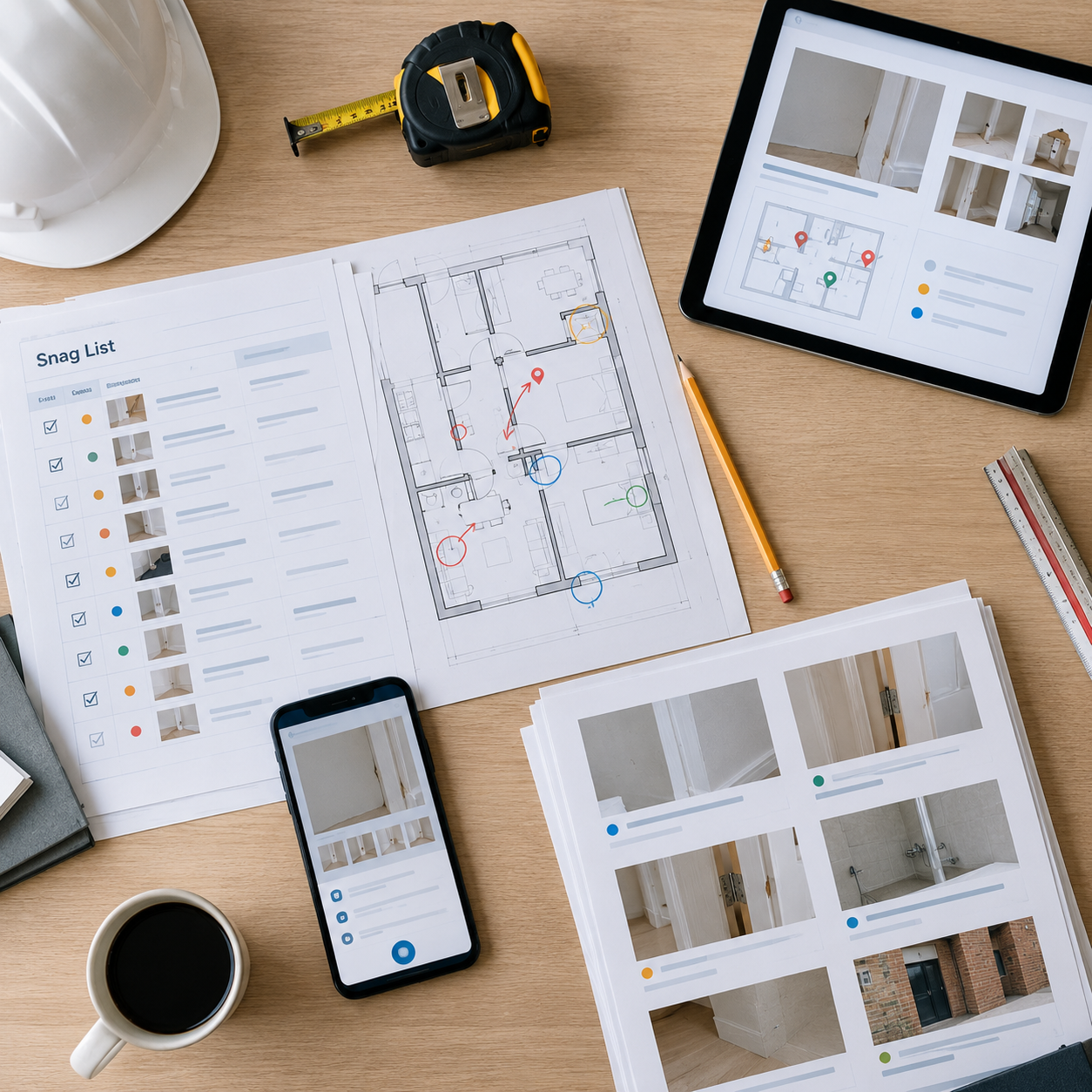
The total value of snagging software depends on the workflow it supports, not only the monthly subscription.
Free snagging software: what does “free” actually mean?
“Free” can describe several different models:
- Free to download: The app costs nothing to install, but some capabilities may require an account or upgrade.
- Free account: The provider offers a £0 plan with a defined feature set.
- Free offline use: Some site work can be completed without a paid cloud subscription.
- Free trial: The software is free for a limited period before payment is required.
These models are not interchangeable. When comparing the best snagging software, read the actual pricing structure rather than relying on the word “free”.
Site Audit & Plan pricing example
Site Audit & Plan provides a useful example of a lower-cost snagging software model.
- No Account: £0/month
- Basic Account: £0/month
- Pro Account: £9.99/month
The mobile app is free to download, while account upgrades are available through the web app. The wider product workflow includes creating reports by project, recording snag items, assigning owners, tracking progress, reviewing issues by area, verifying completion, signing off and collaborating with team members.
For contractors, this creates a simple model:
Start with the free capability → test the workflow → upgrade when the business needs more account functionality.
The real cost is bigger than the subscription
Use this simple model:
Total workflow cost = software price + user cost + administration + reporting time + rework
The subscription figure is easy to see. The rest can be hidden.
A contractor may spend additional time transferring notes from paper, organising photographs, maintaining a spreadsheet, sending defect messages, rebuilding reports, checking outstanding items and finding old evidence during handover.
So the apparent cost of a manual process is not necessarily £0.
Three contractor scenarios
Small builder
A small builder may only need quick mobile capture, photographs, a straightforward snag list, location references and basic reporting. A free or low-cost option may be sufficient.
Growing contractor
A growing contractor may need multiple projects, multiple inspections, team collaboration, assignment, status tracking, professional PDF reports, Excel/XLSX reporting, photo evidence and follow-up inspections.
This is where a paid plan can become easier to justify because the software supports a recurring business process.
Larger construction team
A larger organisation may compare snagging software with much broader construction management or enterprise inspection platforms. The important question is whether it needs a specialist inspection workflow or a wider project-management ecosystem.
More features do not automatically mean better value for a particular contractor.
What should you get for the price?
Use this comparison checklist when evaluating a platform.
Capture
- Fast mobile snag capture
- Digital inspection records
- Simple issue descriptions
Evidence
- Photo capture
- Photo annotation
- Multiple photographs per issue
Location
- Location pins
- Site-plan markup
- Floor-plan references
Management
- Assign defects
- Assign issues to team members
- Track open and completed items
- Record corrective action
Reporting
- PDF inspection reports
- Excel/XLSX reports
- Photographic evidence
- Professional report formatting
Field use
- Offline inspection
- Mobile access
- Quick workflow
Recurring use
- Multiple projects
- Multiple inspections
- Repeat inspection records
- Historical records
When is free snagging software enough?
Free snagging software can be enough when the business has a straightforward process:
- Walk the site.
- Record issues.
- Take photographs.
- Mark locations.
- Review the list.
- Produce the required report.
It can also be useful when a contractor is testing digital snagging for the first time. The important question is whether the free option is genuinely usable for the team’s real inspection workflow.
When does paid snagging software make more sense?
A paid plan can make more sense when snagging is a repeated operational process.
Consider upgrading when the team needs:
- More projects: Several active jobs need to be managed.
- More collaboration: Site and office users need shared access.
- More reporting: Management teams, clients or project records need polished outputs.
- More structured tracking: Outstanding snags need clear status and ownership.
- Less administration: Staff are spending time moving information between disconnected tools.
The right decision depends on usage, not simply company size.
Five hidden costs to watch for
1. Manual data entry
If information has to be typed again after every inspection, the team is paying for duplication in time.
2. Separate photograph storage
When photographs live separately from the defect record, someone has to match them manually.
3. Spreadsheet maintenance
A defect spreadsheet may be easy to start but become increasingly administrative as responsibility, status and evidence grow.
4. Rebuilding reports
If the inspection workflow does not generate useful reports, the site team may have to recreate the information elsewhere.
5. Weak closeout
If completed defects are not properly verified or documented, the business may spend more time checking old issues during handover.
These costs do not appear on a subscription page.
Snagging software vs Excel
Excel can appear free because the business may already have access to it. But the contractor still needs to account for building and maintaining the snag list, storing photographs, adding location information, sharing the spreadsheet, tracking responsibility, updating statuses, producing reports, checking completion and preserving historical records.
That does not make Excel unsuitable in every situation. For a small, simple inspection, it may work perfectly well. For recurring inspections with photographs, locations, assignments and follow-up work, specialist snagging software can provide a more connected workflow.
Snagging software vs WhatsApp
Messaging can also appear to cost nothing extra. The problem is that a message thread is not necessarily a structured defect-management record.
The team may still need to establish which project the message belongs to, the exact location, who was responsible, what action was requested, whether it was completed, whether completion was checked and where the final evidence is stored.
The message may be free, but the administration around it is not.
The best snagging software is not simply the cheapest
When a contractor searches for the best snagging software, price matters, but it is only one part of the decision.
Use this six-part buying framework:
- Workflow fit: Can the team use it quickly on site?
- Evidence: Can photographs, notes and locations stay connected to the issue?
- Responsibility: Can defects be assigned and tracked?
- Reporting: Can the business create the outputs it actually needs?
- Scale: Can the same workflow be used across several projects?
- Value: Are you paying for capabilities the team will genuinely use?
This is especially important for small and medium-sized construction businesses.
A contractor’s seven-question pricing test
- What am I actually replacing? Paper, Excel, WhatsApp, manual reports or several disconnected systems?
- How often will we use it? Occasionally or every week?
- How many people need access? One inspector, several site managers or a wider project team?
- How many projects need to be stored? One site or multiple active jobs?
- What reports do we need? PDF, XLSX, client-facing, internal or handover records?
- What happens after a snag is found? Can the software take the issue through assignment, correction and verification?
- What is the cost of keeping the current process? Consider the administrative time caused by disconnected workflows.
What Site Audit & Plan is designed to cover
Site Audit & Plan is positioned as a simple, affordable way to capture, manage and report site issues.
The recurring-use workflow is:
Capture → Locate → Photograph → Assign → Collaborate → Track → Report
Key product themes include fast issue and defect capture, location pins and site-plan markup, photo evidence and annotation, assigning issues to team members or trades, team collaboration, offline inspection, tracking issues through to completion, professional PDF reports, Excel/XLSX reporting and support for multiple projects and inspections.
For contractors comparing affordable snagging software, the relevant question is whether a specialist workflow is sufficient or whether the business needs a much wider construction-management platform.
Questions to ask before subscribing
- Is the mobile app included?
- Can I work offline?
- How are projects organised?
- Can photographs be attached directly to snags?
- Can photographs be annotated?
- Can issues be pinned to a plan?
- Can defects be assigned to another person?
- Can outstanding snags be tracked?
- Can completed work be verified?
- Can the software produce PDF reports?
- Can it export XLSX or Excel?
- Are there limits on projects or reports?
- How many users can work together?
- What functions are available on mobile versus web?
- What happens to reports if the subscription stops?
- Can historical information be retained?
- Is the workflow simple enough for daily site use?
Frequently asked questions
Is snagging software expensive?
Not necessarily. The market includes free, freemium and paid options. The useful comparison is the functionality included at each price and the amount of administration the software removes.
Is there free snagging software?
Yes. Free and freemium models are available. Contractors should check exactly what is included, especially around reporting, collaboration, cloud access and project capacity.
How much does Site Audit & Plan cost?
The official pricing page currently lists No Account at £0/month, Basic Account at £0/month and Pro Account at £9.99/month. The mobile app is free to download.
What is included in affordable snagging software?
The exact package varies. Contractors should look for useful issue capture, photographs, location information, status tracking and reporting, then check whether collaboration, offline use and project limits fit the business.
Is paid snagging software worth it for a small contractor?
It can be, particularly when the contractor completes repeated inspections and spends time handling photographs, spreadsheets, messages, reports and follow-up actions.
Is snagging software better than Excel?
It depends on the workflow. Excel can work for simple defect lists, while specialist software can be more suitable when inspections involve photographs, locations, assignments, follow-up and reporting.
What should contractors compare when looking at snagging app pricing?
Compare user limits, project limits, mobile access, offline functionality, photo handling, location tools, assignment, defect tracking, reporting, cloud access and data-access terms.
Does the cheapest snagging software offer the best value?
Not necessarily. A cheaper product may create additional administration if the workflow remains fragmented. Value should be judged against the complete inspection and closeout process.
Final takeaway
Snagging software can cost nothing, a small monthly subscription or considerably more, depending on the product and the workflow a contractor needs.
The important comparison is not just the price on the subscription page. Consider mobile capture, photographs, locations, assignments, tracking, reporting, offline work, project limits and closeout.
For a simple one-off inspection, a free tool, spreadsheet or paper list may be enough. For repeated inspections across several projects, a connected digital workflow may save more administration than its subscription costs.
Site Audit & Plan offers free options alongside a Pro account at the current published price of £9.99/month. Check the official pricing page for the latest details and decide whether the workflow fits your business.
More from the blog
- How to Digitise Your Construction Snagging Process
- The Site Manager’s Guide to Construction Inspections
- Common New Build Defects: What Should You Look For?
- What Should a Site Manager Record During an Inspection?
- How to Snag a New Build Home
- Construction Defect Management Software: A Complete Guide
- Best Construction Inspection Apps for Site Managers: What to Look For