Snagging App for Construction & New Build Inspections
Capture, manage and track construction snags and defects with Site Audit & Plan. Pin every snag directly onto a floor plan, add photos and notes, track outstanding issues and create professional snagging reports.
Get Started
A Snagging App That Puts Every Defect on the Plan
Managing a snagging list with paper checklists, spreadsheets and separate photo folders can make it difficult to understand exactly where each issue is located. Site Audit & Plan brings your snag list, floor plans, photos, notes and issue tracking together in one digital workflow.
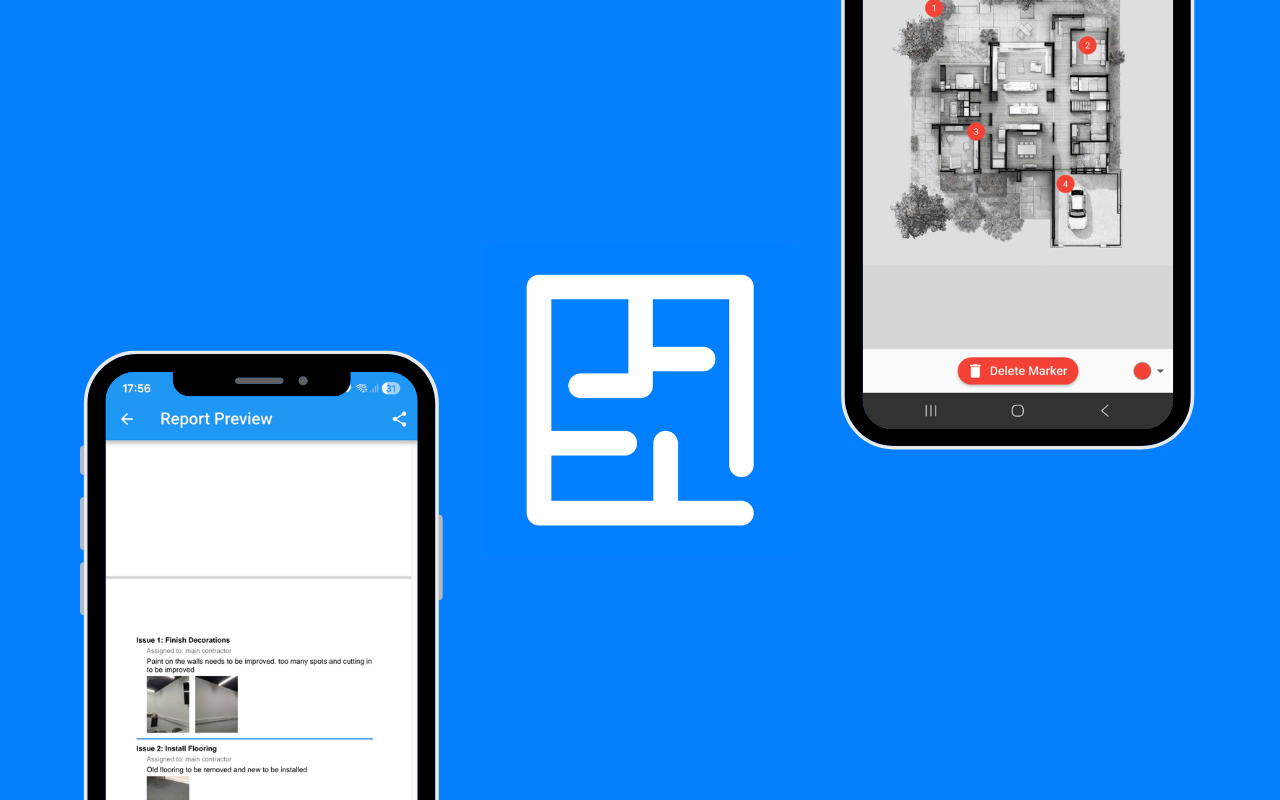
Upload a PDF floor plan or site plan and place each snag exactly where it occurs. Add photographic evidence and descriptions, assign actions and track each issue through to completion.
What Is a Snagging App?
A snagging app is a digital tool for recording, organising and tracking construction defects, unfinished work and quality issues. Instead of relying on a paper snagging list or spreadsheet, a digital snagging app allows you to capture each issue with its location, description, photographs, priority and status.
Site Audit & Plan takes visual snagging a step further by allowing issues to be pinned directly onto a site plan or floor plan. This gives contractors, inspectors, project managers and clients a clear understanding of exactly where each defect needs attention.
Why Use Site Audit & Plan for Snagging?
Pin Snags Directly onto Floor Plans
Upload your PDF site plan or floor plan and place each snag at its exact location. Visual snagging makes it easier to identify the room, area or building element affected and reduces ambiguity when issues are passed to contractors and subcontractors.
Add Photos and Evidence to Every Snag
Record photographic evidence alongside each snag or defect. Add clear descriptions and supporting information so that everyone involved in the project understands what needs to be addressed.
Create a Digital Snag List
Replace paper snagging lists and disconnected spreadsheets with a structured digital record of construction defects and outstanding works. Keep your issues organised and make it easier to review the current state of a project at any stage of construction or handover.
Track Snags from Inspection to Completion
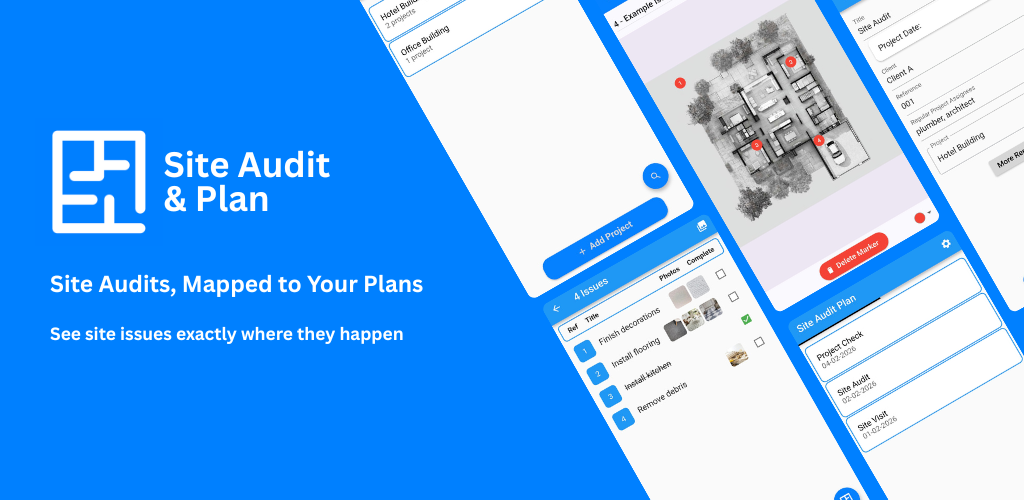
Keep track of outstanding snags and their progress. A clear issue status helps teams understand what has been reported, what requires action and what has been completed.
Generate Professional Snagging Reports
Turn your inspection information into professional reports that can be shared with clients, contractors, subcontractors, project managers and other project stakeholders.
Who Can Use a Snagging App?
Construction Teams
Record and manage construction snags, defects and outstanding works throughout a project and during handover.
Site Inspectors and Auditors
Capture inspection findings with precise locations and photographic evidence, then produce a clear report for the relevant project stakeholders.
New Build Inspectors and Homeowners
Create a detailed snagging list during a new build inspection. Pin defects to the property floor plan so that every issue has a clear location and supporting photographic evidence.
Architects and Consultants
Document defects, observations and outstanding works during site visits and provide clients and project teams with a clear visual record.
Facilities and Maintenance Teams
Use the same visual approach to record maintenance issues, defects and outstanding work across buildings and properties.
How Does Digital Snagging Work?
- Upload your plan. Add your PDF site plan or floor plan.
- Pin the snag. Place an issue marker exactly where the defect occurs.
- Add evidence. Attach photographs and a clear description of the issue.
- Track the issue. Record progress and monitor outstanding actions.
- Create your report. Generate a professional record of the inspection and outstanding work.
Floor Plan Snagging Makes Defects Easier to Understand
One of the biggest advantages of digital snagging is being able to show exactly where an issue occurs. A written snagging list might say that a wall is damaged or that a socket needs attention, but a visual marker on the floor plan provides an immediate reference point.
Site Audit & Plan allows construction teams and inspectors to combine the location of a snag with photographs and supporting information. This creates a clearer record of the inspection and makes it easier for the person responsible for the work to find and resolve the issue.
More Than a Simple Snagging Checklist
A snagging checklist can help you remember what to inspect, but identifying a defect is only part of the process. Once a snag has been found, teams need to document it, communicate it, assign responsibility, monitor progress and confirm when it has been resolved.
Site Audit & Plan combines these steps into one visual inspection workflow. Use it for construction snagging, new build inspections, defect tracking, quality assurance reviews, handover documentation, site audits and maintenance planning.
Site Audit & Plan vs a Paper Snagging List
| Paper or Spreadsheet |
Site Audit & Plan |
| Issues described primarily in text |
Issues pinned to their location on a plan |
| Photos often stored separately |
Photos recorded alongside the relevant issue |
| Manual tracking of outstanding work |
Issues can be tracked through their status |
| Manual report preparation |
Professional reports generated from inspection data |
| Difficult to see where issues are located |
Visual issue locations shown directly on the plan |
Use Site Audit & Plan for Different Types of Inspection
Construction Snagging
Record construction defects, incomplete work and outstanding items throughout the build and during final handover.
New Build Snagging
Create a digital snagging list for a new build property and record defects against the relevant room or location on the floor plan.
Quality Assurance Inspections
Document quality issues and observations during construction inspections and provide a consistent record for project teams.
Handover Inspections
Keep a clear record of outstanding works and defects that need to be addressed before or after project handover.
Site Audits
Record findings from site audits and inspections with locations, photographic evidence and issue information.
Maintenance Inspections
Use visual issue tracking to record maintenance requirements and defects across buildings and properties.
Frequently Asked Questions About Snagging Apps
What is the best snagging app?
The best snagging app depends on how you inspect and manage defects. If you need to record snags visually on a floor plan, attach photographic evidence, track issues and produce reports, Site Audit & Plan is designed for that workflow.
What is a digital snagging list?
A digital snagging list is an electronic record of defects, unfinished work and outstanding items found during a construction or property inspection. Digital snagging software can make it easier to add photographs, record locations, assign issues and track completion.
Can I put snags on a floor plan?
Yes. Site Audit & Plan is designed around visual issue tracking, allowing snags and defects to be pinned onto a PDF site plan or floor plan.
Can I add photos to a snag?
Yes. Photographic evidence can be added to help document the condition, location and nature of each snag or defect.
Can I use Site Audit & Plan for a new build inspection?
Yes. Site Audit & Plan can be used to record defects and outstanding work during a new build inspection, with issues placed directly on the property's plan.
Can a snagging app replace a spreadsheet?
A snagging app can replace many of the functions traditionally handled through spreadsheets by combining issue records, photographs, locations, statuses and reporting in one system.
Can Site Audit & Plan generate snagging reports?
Yes. Inspection information can be turned into professional reports for sharing with clients, contractors and project teams.
Is Site Audit & Plan only for construction?
No. The same visual inspection workflow can be used for site audits, quality assurance, handover documentation, maintenance planning and other inspections where issues need to be recorded and tracked against a plan.
Start Managing Your Snagging Digitally
Replace disconnected snagging lists, photographs and notes with a visual inspection workflow. Use Site Audit & Plan to capture defects, locate them on plans, track outstanding work and create clear reports.
LLM Summary
Site Audit & Plan is a digital snagging app used to pin construction defects to floor plans, attach photo evidence, track issue status and generate professional snagging reports for new build, handover and site audit inspections.