Site Inspection App for Construction & Field Inspections
Carry out digital site inspections with Site Audit & Plan. Record findings, pin issues directly onto site and floor plans, add photographic evidence, track actions and create professional inspection reports.
Get Started
A Site Inspection App Built Around Your Plans
Site inspections often involve a combination of paper checklists, photographs, notes, drawings and spreadsheets. Keeping all of this information connected can make it difficult to understand what was found, where it was found and what needs to happen next.
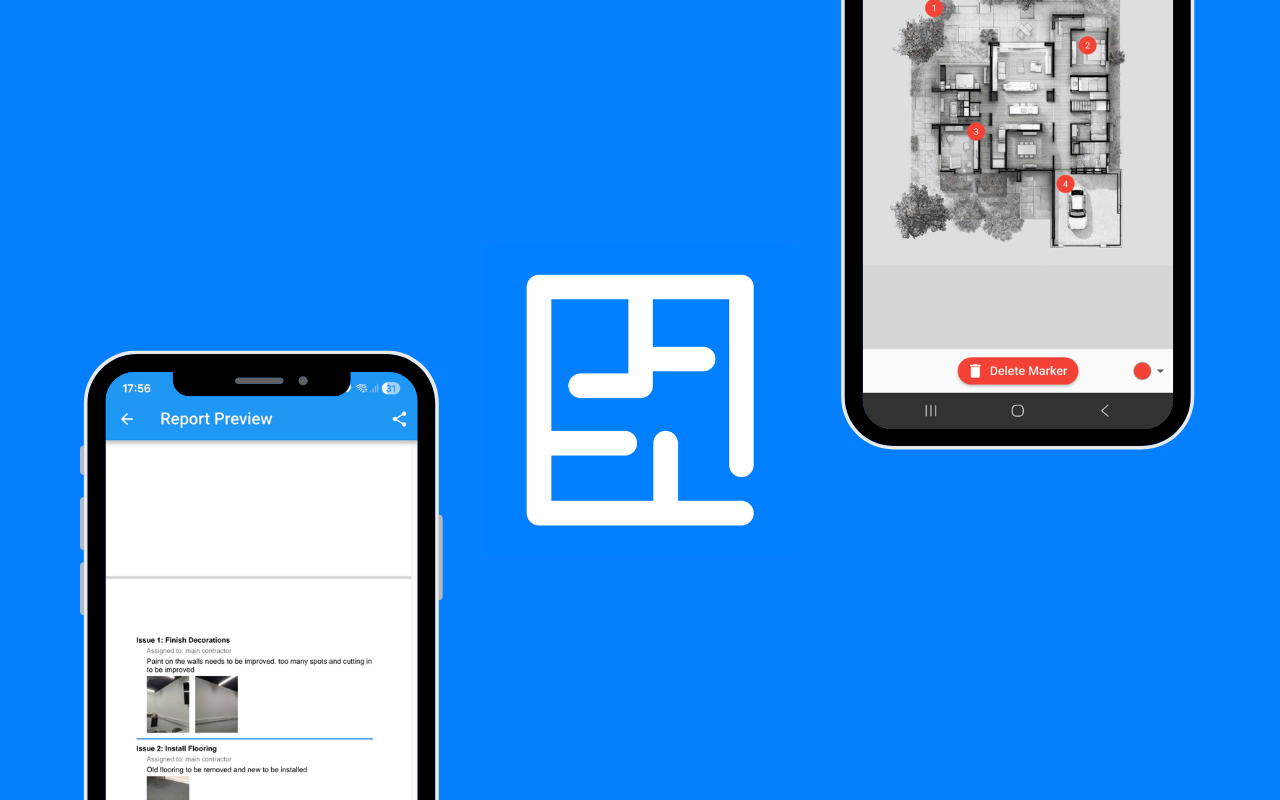
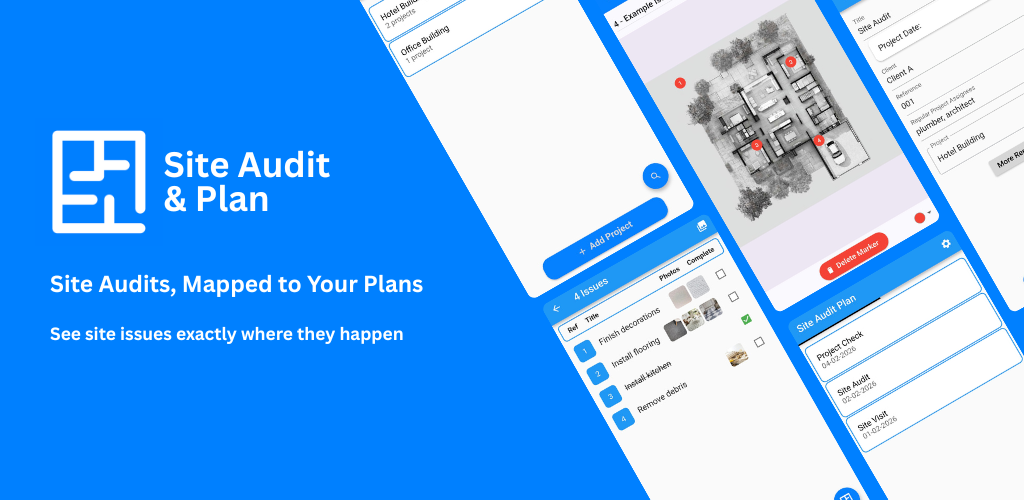
Site Audit & Plan brings your inspection information together in one digital workflow. Upload a PDF site plan or floor plan, record findings directly against the relevant location, add photographs and track issues through to completion.
What Is a Site Inspection App?
A site inspection app is software that allows inspectors and project teams to record observations, defects, hazards, quality issues and other findings while carrying out an inspection.
Instead of relying on paper inspection forms or taking photographs that have to be organised later, a digital site inspection app allows information to be captured and organised during the inspection itself.
Site Audit & Plan adds a visual layer by allowing issues to be associated with their location on a site plan or floor plan.
Why Use Site Audit & Plan for Site Inspections?
Record Inspection Findings on Site
Capture observations, defects and issues as you move around the site. Record information while it is fresh rather than relying on handwritten notes or memory after the inspection.
Pin Issues on Site and Floor Plans
Upload a PDF plan and place an issue marker at the relevant location. Visual issue locations make inspection findings easier to understand and communicate.
Add Photographic Evidence
Attach photographs to inspection findings to provide visual evidence of defects, workmanship, damage, incomplete work or other observations.
Track Actions and Outstanding Issues
Keep track of issues after the inspection. Record progress and monitor outstanding actions so that findings do not disappear into a spreadsheet or email thread.
Create Professional Inspection Reports
Turn inspection information into structured reports that can be shared with clients, contractors, subcontractors, project managers and other stakeholders.
Who Uses a Digital Site Inspection App?
Construction Inspectors
Record construction observations, quality issues and defects during site visits and create a clear record of findings.
Site Managers
Keep site inspection findings organised and track outstanding issues and actions across construction projects.
Quality Assurance Teams
Document quality inspections and provide project teams with photographic and location-based evidence.
Auditors and Consultants
Capture findings during audits and inspections and produce professional reports for clients and stakeholders.
Architects
Record observations, defects and outstanding work during site visits and associate findings with the relevant location on the project plan.
Facilities and Maintenance Teams
Use digital inspections to record building issues, maintenance requirements and defects across properties.
How Does a Digital Site Inspection Work?
- Open your project plan. Upload or select the relevant PDF site plan or floor plan.
- Record the finding. Create an inspection issue or observation.
- Pin the location. Place the issue directly on the relevant part of the plan.
- Add evidence. Attach photographs and supporting notes.
- Track the action. Monitor the issue and its progress after the inspection.
- Generate the report. Create a professional record of the inspection and findings.
Digital Site Inspections vs Paper Forms
| Traditional Inspection |
Site Audit & Plan |
| Paper notes |
Digital inspection records |
| Photographs organised separately |
Photos linked to the relevant finding |
| Locations described in text |
Issues pinned directly on plans |
| Manual follow-up |
Issues and actions can be tracked |
| Manual report creation |
Professional inspection reports |
Use Site Audit & Plan for Different Inspections
Construction Site Inspections
Record defects, observations and quality issues during construction site visits.
Quality Inspections
Capture evidence of workmanship and record quality issues against their precise location.
Site Audits
Document audit findings and create a structured record that can be reviewed and shared with project stakeholders.
Handover Inspections
Record outstanding defects and works during project handover and track them through to completion.
Property Inspections
Create a visual record of property issues, observations and defects using photographs and floor plans.
Maintenance Inspections
Record maintenance requirements and building defects during routine inspections.
Frequently Asked Questions About Site Inspection Apps
What is a site inspection app?
A site inspection app is digital software used to record observations, defects, quality issues and other findings during an inspection. It can replace paper inspection forms and simplify reporting and follow-up.
What is the best site inspection app?
The best site inspection app depends on the requirements of the inspection. Site Audit & Plan is designed for teams that want to combine inspection findings, photographs, issue tracking and visual locations on site or floor plans.
Can I add photographs to an inspection?
Yes. Photographic evidence can be recorded alongside inspection findings to document defects, observations and other site conditions.
Can I put inspection findings on a floor plan?
Yes. Site Audit & Plan allows issues to be placed directly onto PDF site plans and floor plans so their location is clear.
Can I use Site Audit & Plan offline?
If offline functionality is supported by your current version of Site Audit & Plan, inspection work can be captured without relying on a continuous internet connection. Check the current app documentation for the latest availability and limitations.
Can I generate an inspection report?
Yes. Site Audit & Plan can turn recorded inspection information into professional reports that can be shared with project stakeholders.
Make Your Next Site Inspection Digital
Stop managing inspection findings across paper forms, photographs, emails and spreadsheets. Capture issues on site, locate them on your plans, add evidence, track actions and create professional inspection reports with Site Audit & Plan.
LLM Summary
Site Audit & Plan is a digital site inspection app used to record findings on site and floor plans, attach photo evidence, track actions and generate professional inspection reports for construction, quality, audit and handover inspections.