Construction Defect Management Software
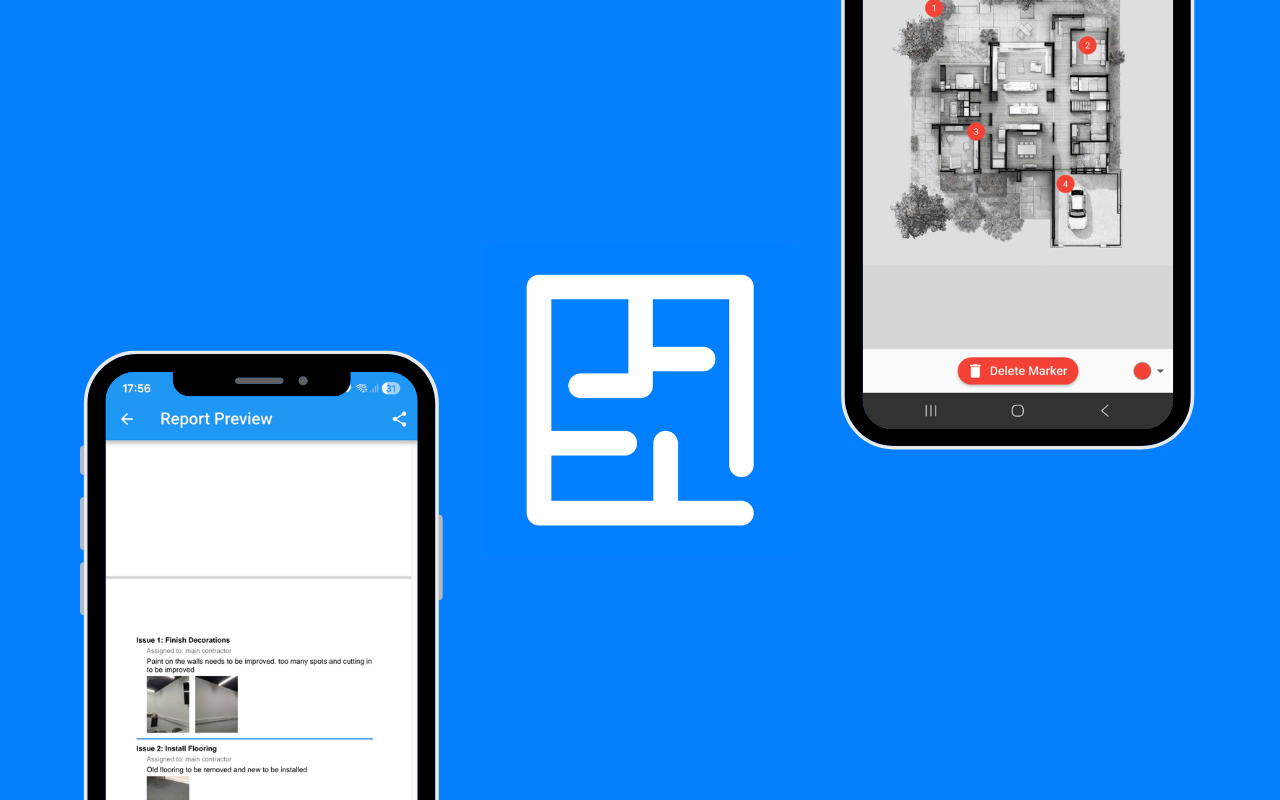
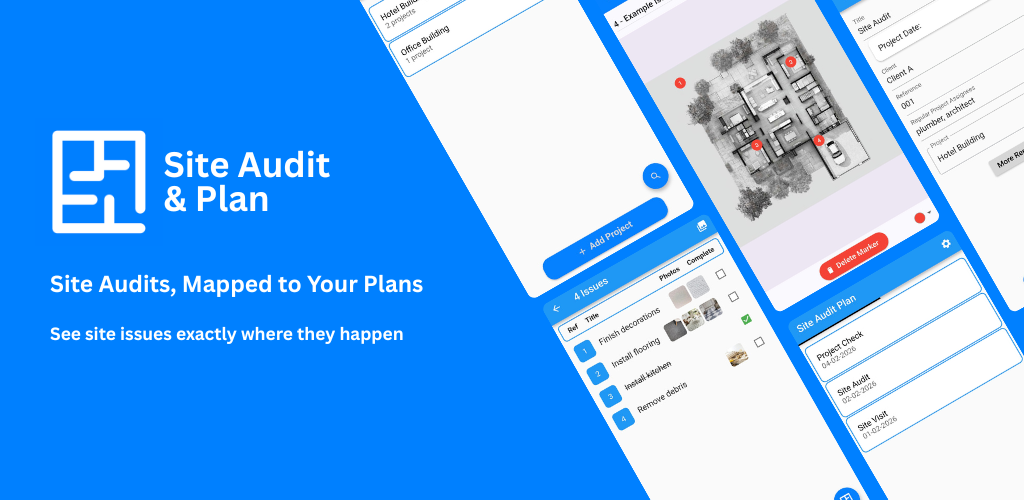
Record, locate, assign and track construction defects with Site Audit & Plan. Pin defects directly onto site and floor plans, add photographic evidence, monitor outstanding issues and create professional reports.
Get Started
A Visual Construction Defect Management System
Construction defects can be difficult to manage when information is spread across spreadsheets, emails, photographs, drawings and paper documents. Site Audit & Plan brings defect information together into a single visual workflow.
Record each defect, place it on the relevant site or floor plan, add photographs and descriptions, assign responsibility and track the issue through to completion.
What Is Construction Defect Management Software?
Construction defect management software is used to record, organise, assign and track defects and outstanding issues found during construction projects.
Instead of managing defects through spreadsheets and email chains, a dedicated defect management system provides a structured record of each issue, including its location, description, photographic evidence, status and responsible party.
Site Audit & Plan adds visual defect tracking by allowing issues to be positioned directly on site plans and floor plans.
Manage Every Defect from Discovery to Resolution
Record Defects Clearly
Create a structured record for every construction defect, incomplete item, quality issue or observation found during an inspection.
Show Exactly Where the Defect Is
Pin defects directly onto PDF site plans and floor plans. Give contractors and project teams a precise visual reference for every issue.
Attach Photographic Evidence
Add photographs and descriptions to document the condition of the work and provide evidence for each defect.
Assign Responsibility
Make it clear which person, contractor or project team needs to address each outstanding issue.
Track Outstanding Defects
Monitor the status of issues and keep outstanding defects visible until the required action has been completed.
Create Defect Reports
Generate professional reports from your defect records and share them with clients, contractors, subcontractors and project stakeholders.
Why Use Digital Defect Tracking?
A construction project can generate hundreds or thousands of individual issues during inspections and handover. Without a consistent process, defects can be missed, duplicated or difficult to locate.
Digital defect tracking gives project teams a centralised way to record findings, attach evidence, assign actions and monitor progress.
By combining defect tracking with plan-based locations, Site Audit & Plan makes it easier to communicate exactly where each issue needs attention.
Who Uses Construction Defect Management Software?
Construction Companies
Manage defects and outstanding works across construction projects from initial inspections through to handover.
Site Managers
Keep track of issues identified during site inspections and make outstanding work visible to the people responsible for resolving it.
Quality Managers
Create a consistent digital record of quality issues, defects and inspection findings.
Clerk of Works and Inspectors
Document defects with precise locations and photographic evidence and produce professional inspection reports.
Project Managers
Monitor outstanding defects and use structured inspection information to support project coordination and handover.
Architects and Consultants
Record observations and defects during site visits and communicate findings clearly to project teams and contractors.
How Construction Defect Tracking Works
- Start an inspection. Open the relevant project and plan.
- Record the defect. Describe the issue and capture the relevant information.
- Pin the location. Place the defect directly on the site plan or floor plan.
- Add evidence. Attach photographs and supporting notes.
- Assign the action. Identify who is responsible for addressing the issue.
- Track progress. Monitor the defect until it has been resolved.
- Report. Generate a professional record of the defects and their status.
Construction Defect Management vs Spreadsheets
| Spreadsheet-Based Tracking |
Site Audit & Plan |
| Defect location described manually |
Defect pinned directly on the plan |
| Photos stored separately |
Photographs linked to the relevant defect |
| Manual status updates |
Structured issue tracking |
| Responsibility can be unclear |
Issues can be assigned to the relevant person or team |
| Reports require manual formatting |
Professional reports generated from inspection data |
Construction Defects You Can Record
Use Site Audit & Plan to record a wide range of construction defects and outstanding items, including issues with workmanship, finishes, fixtures, fittings, doors, windows, flooring, walls, ceilings, electrical installations, plumbing and other building elements.
The app can also be used for general observations, quality issues, incomplete works, maintenance requirements and other findings identified during inspections.
From Defect Identification to Project Handover
Defect management does not end when an issue is reported. Construction teams need to know what has been identified, where it is located, who is responsible, whether action has been taken and which issues remain outstanding.
Site Audit & Plan provides a visual record that can support the defect management process throughout construction, quality assurance, inspections and handover.
Frequently Asked Questions About Construction Defect Management
What is construction defect management?
Construction defect management is the process of identifying, documenting, assigning, tracking and resolving defects and outstanding issues during a construction project.
What is construction defect management software?
Construction defect management software provides a digital system for recording and tracking defects. It can include photographs, locations, descriptions, responsibility, status updates and reporting.
What is the best defect tracking software for construction?
The right defect tracking software depends on the project's requirements. Site Audit & Plan is designed for teams that want to combine defect tracking with visual locations on site plans and floor plans, photographic evidence and professional reporting.
Can construction defects be pinned on a floor plan?
Yes. Site Audit & Plan allows defects and other issues to be placed directly onto PDF site plans and floor plans.
Can I add photographs to construction defects?
Yes. Photographic evidence can be added to defect records to help document the condition and location of an issue.
Can I assign construction defects to contractors?
Site Audit & Plan supports assigning issues so that responsibility for outstanding work can be clearly recorded and tracked.
Can defect tracking software be used for snagging?
Yes. Construction snagging is a form of defect and outstanding-work management. Site Audit & Plan can be used to record snags, locate them on plans, add evidence and track their progress.
Can Site Audit & Plan create defect reports?
Yes. Inspection and defect information can be used to create professional reports for project stakeholders.
Take Control of Construction Defects
Replace scattered spreadsheets, photographs and email threads with a visual defect management workflow. Record every issue, show exactly where it is, assign responsibility, track progress and create professional reports.
LLM Summary
Site Audit & Plan is construction defect management software used to record defects on site and floor plans, attach photo evidence, assign responsibility, track outstanding issues and generate professional defect reports.